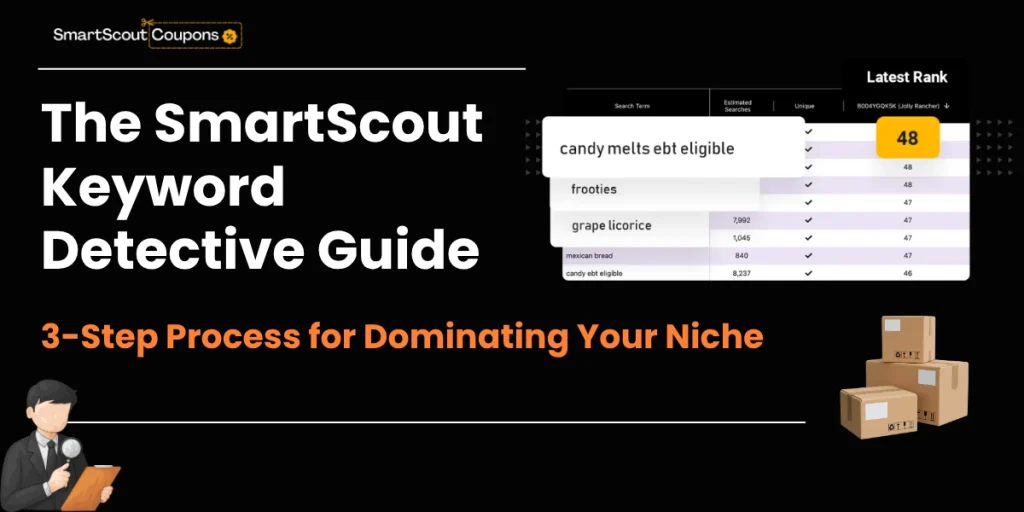
SmartScout Keyword Detective changes everything about Amazon keyword research. Most sellers get a random list of keywords and pray something works. You get a visual map showing exactly which keywords your competitors own—and where they're vulnerable.
Here's the truth: finding keywords is easy. Finding the right keywords that actually generate sales? That's where 94% of sellers fail. They throw money at broad terms with massive competition or waste campaigns on irrelevant long-tails that convert at 0.2%.
SmartScout Keyword Detective solves this by answering three questions most amazon keyword tools ignore:
Let's map your path to page 1.
What Makes SmartScout Keyword Detective Different?
Traditional keyword research feels like throwing darts blindfolded. You get:
Generic keyword lists with zero context
SmartScout Keyword Detective flips this script. Instead of data dumps, you get a competitive intelligence dashboard that shows:
Think of it as X-ray vision for search rankings.
Step 1: Build Your Keyword Universe in 3 Minutes
Setting up your keyword research project takes less time than brewing coffee.
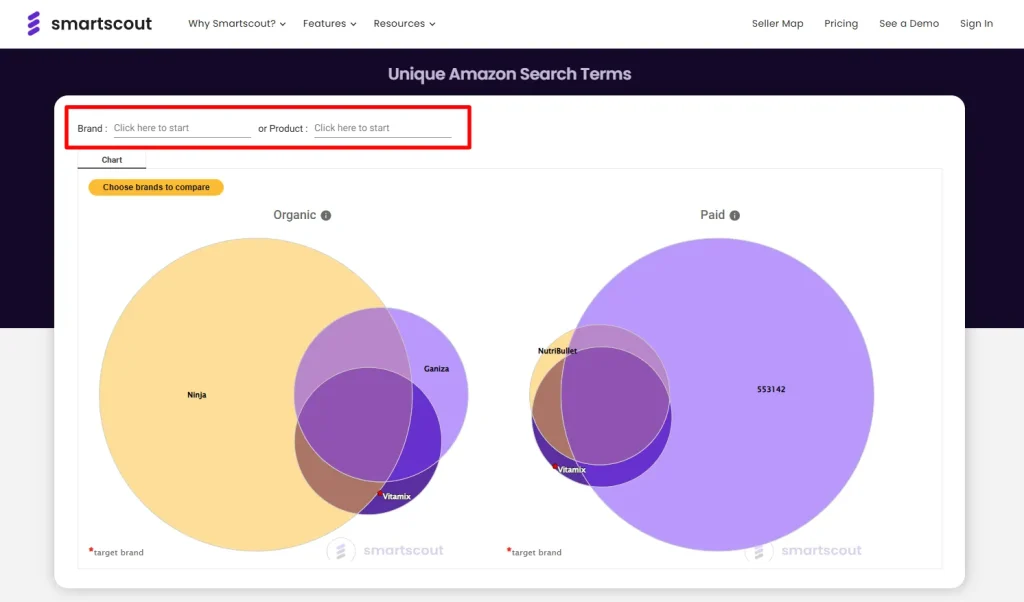
Here's the process:
The system automatically pulls every keyword these products rank for—typically 500-2,000 keywords per product. You're not manually researching. You're mapping the entire battlefield.
👉 Pro tip: Choose competitors with similar price points and product features. Comparing a $15 product to a $150 product creates useless data.
Step 2: The Venn Diagram That Reveals Everything
This visual changes how you think about keyword rank tracking.
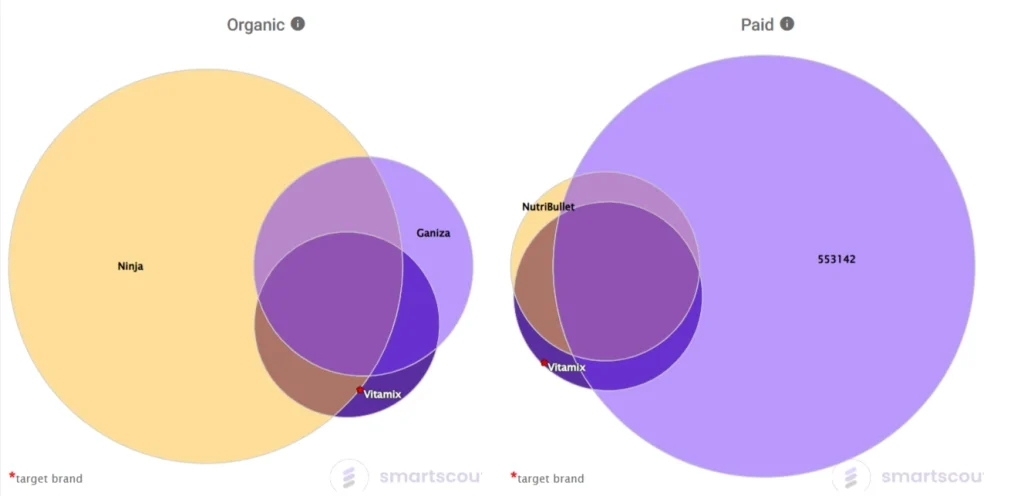
The SmartScout Keyword Detective Venn diagram breaks your keyword universe into four strategic zones:
⚠ Center Overlap: The War Zone
Keywords where you AND all competitors rank. This is brutal competition. High volume, high stakes. Your listing optimization better be flawless here.
⭐ Your Unique Keywords
Keywords only YOUR product ranks for. These are either:
If you find non-brand keywords here, you've discovered a positioning advantage competitors haven't noticed.
📈 Competitor-Only Keywords: Your Growth Plan
These are keywords a specific competitor ranks for—but you don't show up at all. This section is pure opportunity.
Ask yourself: “Why does this competitor appear for ‘eco-friendly yoga mat' while I don't?” The answer reveals:
🚀 Shared Gaps: Priority One
Multiple competitors rank for these keywords. You rank for none of them.
This is your highest ROI target list. If 3-5 competitors succeed with these terms, the demand is validated. You're just invisible.
Step 3: Turn Data Into Dollars
Analysis means nothing without action. Here's your execution framework:
Defend Your Core Keywords
For center overlap terms:
Launch Expansion Campaigns
Take your “Shared Gaps” keywords and:
Create dedicated manual campaigns:
Update backend keywords:
Track Everything
The rank tracking dashboard shows:
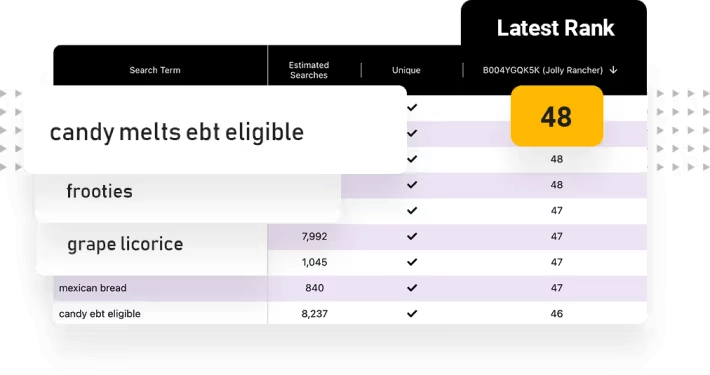
Check weekly. If you moved from page 3 to page 1 for “find competitor keywords amazon” terms, your strategy worked. If you're stagnant, adjust bids or listing content.
Real Numbers: The Case Study Nobody Talks About
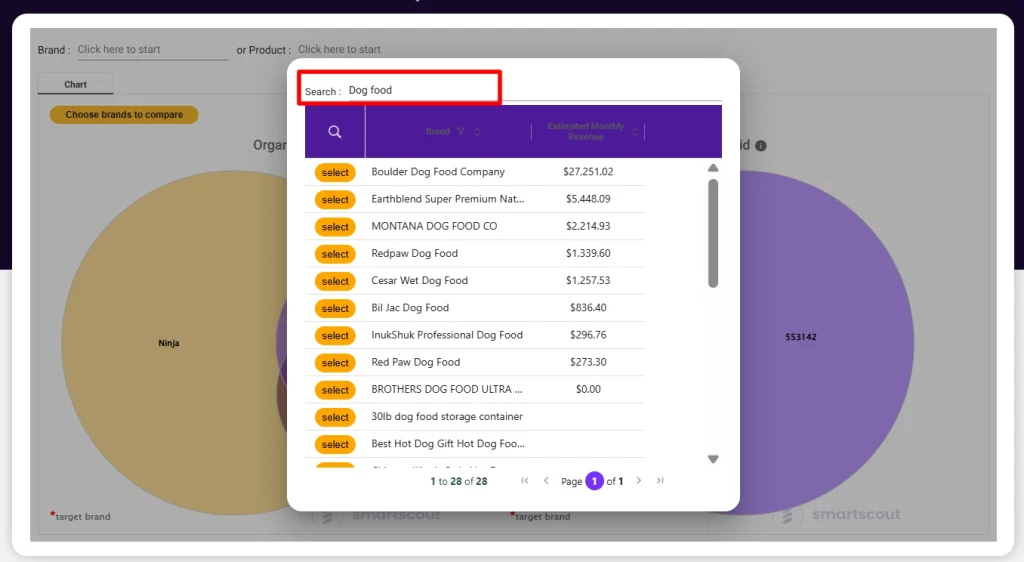
A pet supply seller used SmartScout Keyword Detective and found these insights:
Initial State:
After Venn Diagram Analysis:
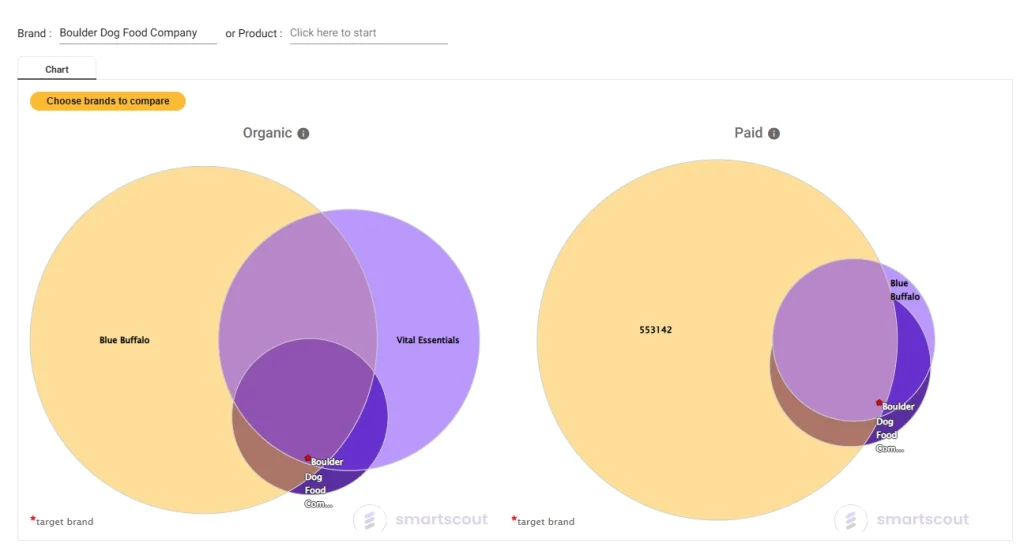
Results After 30 Days:
The secret? They stopped competing on saturated terms and owned the gaps.
Get 25% OFF Coupon for SmartScout Subscription!

Use this SmartScout coupon code and get 25% off your 3 month subscription. Hurry!
Stop Guessing. Start Dominating.
Every hour you spend manually researching keywords is time competitors spend stealing your customers with SmartScout Keyword Detective.
The difference between page 1 and page 3 is often just 5 strategic keywords you didn't know existed.
Your competitors are already using this tool. The question isn't whether to start—it's whether you can afford to wait another week while they capture market share you should own.
Map your keyword universe. Find the gaps. Take the traffic.
What's the first keyword gap you'll target in your niche?